What Is PayByPlateMA? A Quick Overview for Every Driver
PayByPlateMA is the electronic toll collection program operated by the Massachusetts Department of Transportation (MassDOT) through its EZDriveMA platform. Instead of stopping at a toll booth or carrying a transponder, this system reads your vehicle’s license plate using high-speed cameras mounted on overhead gantries. Tolls are then charged to your registered account or mailed to you as a paper invoice.
This system covers every major tolled route in the state, including the Massachusetts Turnpike (I-90), the Tobin Memorial Bridge, and Boston’s three major tunnels: the Sumner Tunnel, Callahan Tunnel, and Ted Williams Tunnel. Whether you are a daily commuter crossing the Tobin Bridge, a weekend traveler heading to the Berkshires on I-90, or a tourist visiting Boston for the first time, PayByPlateMA ensures you can use toll roads without carrying cash or attaching any device to your windshield.
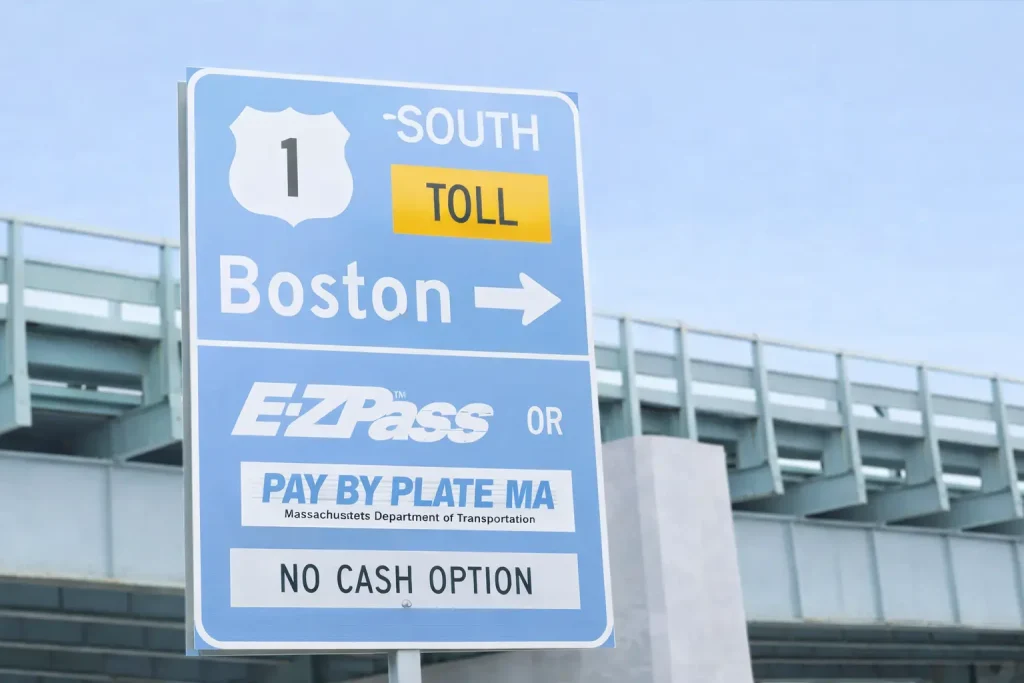
The entire state moved to all-electronic, cashless tolling in recent years, which means there are no more physical toll booths anywhere in Massachusetts. Every toll transaction now happens automatically as you drive at full highway speed.
Helpful Tip: If you only drive Massachusetts toll roads once or twice a year, you do not need to create an account. The system will mail an invoice to the address linked to your license plate through the RMV. However, registered account holders save money by avoiding the $0.60 invoice service fee on every transaction.
Quick Links: Registration Steps | Prepaid vs. Postpaid | Massachusetts Toll Payments | Key Benefits of E-ZPass MA
Who Should Use PayByPlateMA?
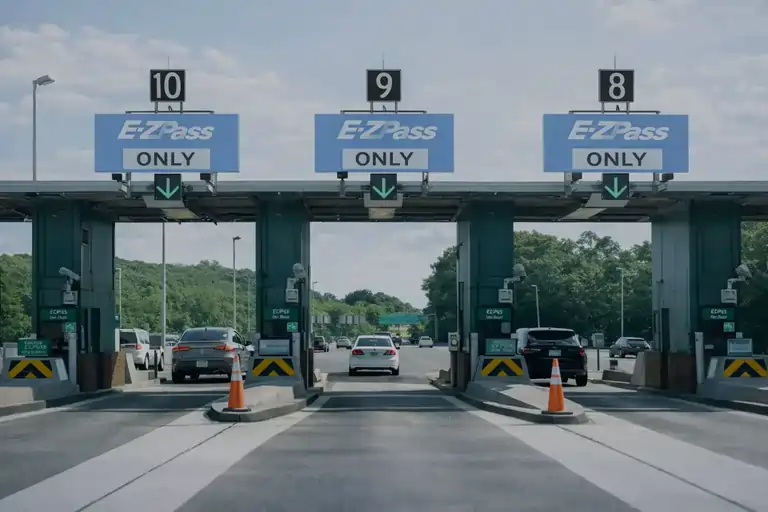
This toll system is designed for virtually anyone who drives on a tolled road in Massachusetts. Here is a breakdown of who benefits most from understanding and using it properly.
Daily Commuters on the Mass Turnpike or Tobin Bridge
If you drive to work using I-90 or cross the Tobin Bridge regularly, a registered Pay By Plate MA account (or an E-ZPass MA transponder) will save you both time and money compared to receiving individual paper invoices.
Occasional Travelers and Weekend Drivers
Even if you only hit toll roads a few times each year, knowing how the billing works prevents surprise charges in your mailbox. A prepaid account lets you load a small amount and forget about it until your next trip.
Out-of-State Visitors and Tourists
Massachusetts does not have any toll booths where you can stop and pay cash. If you are visiting from another state and do not carry an E-ZPass, the Pay By Plate system will photograph your license plate and mail an invoice to the address registered with your home state’s motor vehicle department.
Rental Car Drivers
Rental vehicles are automatically enrolled in Pay By Plate because most rental fleets do not come equipped with E-ZPass transponders. Be aware that rental companies often add their own administrative surcharge on top of the toll, so it is worth understanding your options before you pick up the car.
Commercial Fleet Operators and Truck Drivers
Businesses that run delivery trucks, freight vehicles, or service vans across Massachusetts toll roads need to manage toll costs carefully. Commercial vehicles are charged higher rates based on axle count and vehicle classification, making account management and E-ZPass integration especially important.
Motorcycle Riders
Motorcycles are charged lower toll rates than passenger cars. However, the smaller plate size can occasionally cause misreads by the camera system, so riders should ensure their plates are clean, visible, and securely mounted.
How to Log In to Your Pay By Plate MA Account
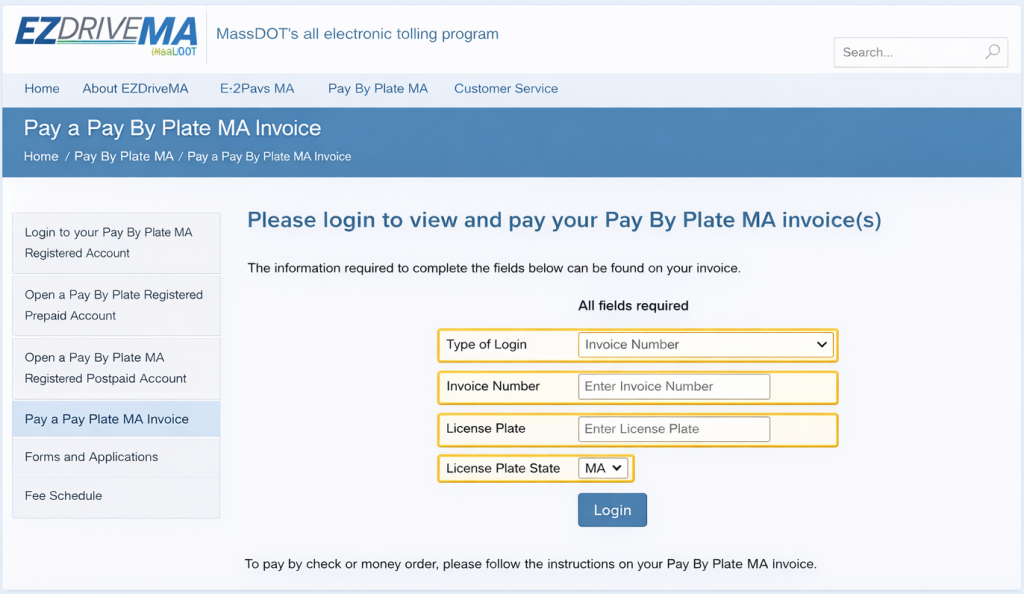
The official login portal is hosted on the EZDriveMA website at www.paybyplatema.com. This is the only legitimate website for managing your toll account. Be cautious of phishing websites that mimic the login page to steal your credentials.
Step-by-Step Login Process
- Open your browser and visit www.paybyplatema.com. Bookmark this page for quick future access so you never land on a fake site by mistake.
- Click the “Sign In” button located on the top-right area of the homepage. This takes you to the secure login form.
- Choose your login method. You can sign in using either your registered email address or your EZDriveMA account number. Email is typically easier to remember.
- Enter your password carefully. Passwords are case-sensitive. Double-check for accidental caps lock or extra spaces before hitting submit.
- Click “Login” to access your dashboard. Once inside, you can view recent toll charges, check your balance, update payment methods, and manage your vehicles.
Helpful Tip: Use a password manager to store your login credentials securely. This eliminates the risk of forgetting your password and avoids the hassle of repeated resets.
How to Create a New Pay By Plate MA Account
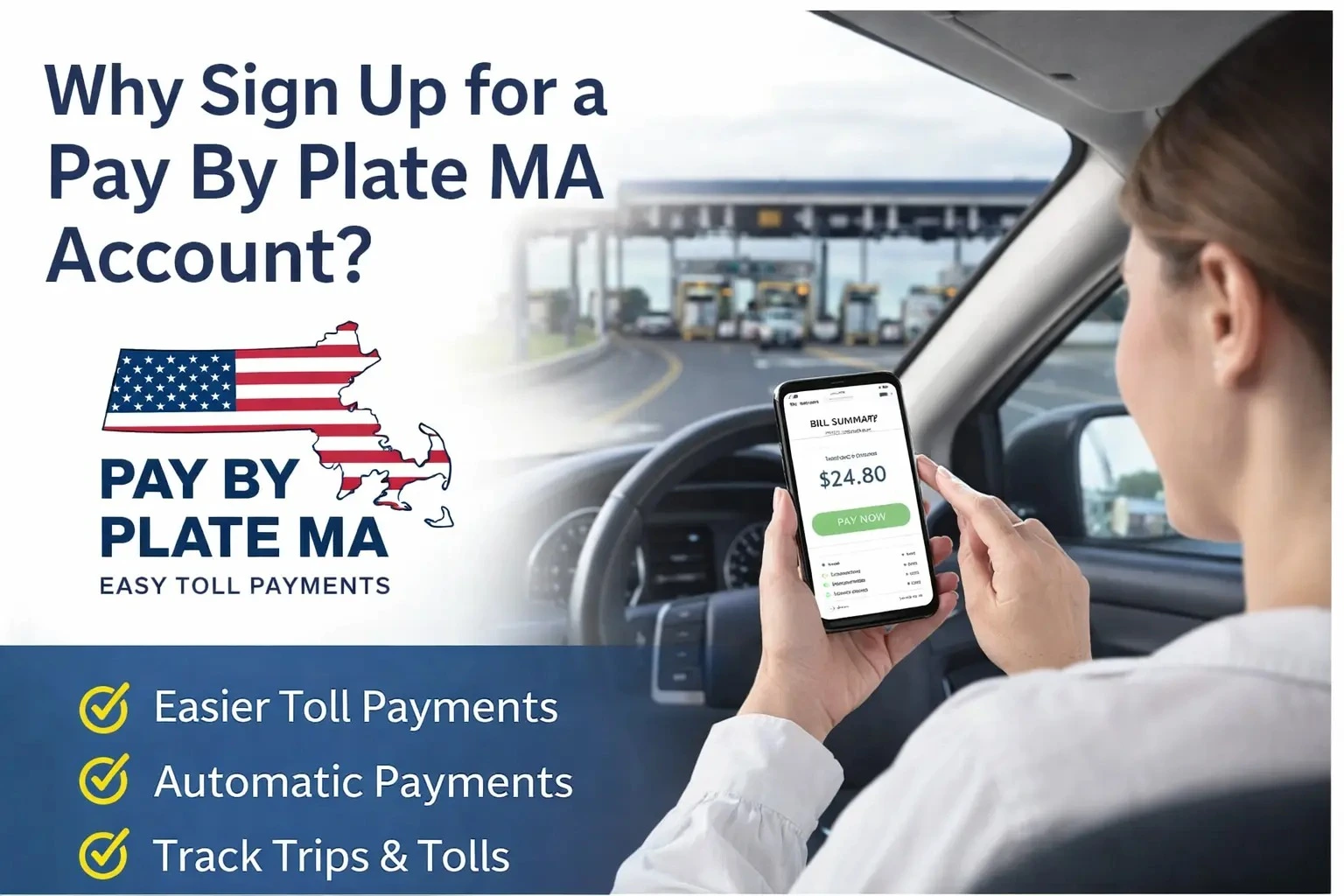
Setting up an account takes roughly five minutes and requires a few pieces of personal and vehicle information. Once registered, you gain full control over your toll billing and can avoid the extra fees that come with paper invoices.
What You Need Before You Start
- Your license plate number – must match exactly what is on file with the Massachusetts Registry of Motor Vehicles (RMV). Even a single wrong character can cause billing errors.
- Vehicle details – including the make, model, year, and body type of your car. This helps the system verify your registration and apply the correct toll rate.
- A valid payment method – either a credit card, debit card, or bank account. This will be used for automatic toll deductions or account replenishment.
- A working email address – used for account verification, invoice notifications, payment receipts, and any system alerts.
- Your current home address – should match the address on your vehicle registration for billing accuracy.
- A stable internet connection – the entire registration process happens online through the EZDriveMA portal.
Registration Steps
- Visit www.paybyplatema.com and click “Create an Account.”
- Read and accept the terms and conditions. These outline your responsibilities regarding timely payments and accurate vehicle information.
- Click “Add Contact” and fill in your full name, mailing address, phone number, email, and a 4-digit security PIN.
- Enter your vehicle details: license plate number, vehicle type, make, and model.
- Select your preferred account type – either Prepaid or Postpaid (explained in detail below).
- Link your payment method by entering your credit card, debit card, or bank account information.
- Click “Next” to finalize. You will receive a confirmation email verifying that your account is active and ready to use.
Helpful Tip: Take a screenshot or photo of your license plate before registering. This helps you enter the number accurately and serves as a reference if you ever need to dispute a charge.
Prepaid vs. Postpaid: Choosing the Right Account Type
PayByPlateMA offers two distinct account types, each designed for a different kind of driver. Understanding the difference helps you pick the option that matches your travel habits and budgeting preferences.
Prepaid Account
A prepaid account works like a digital wallet for your tolls. You load money into your account upfront (minimum $20), and every time you pass through a toll point, the system automatically deducts the charge from your balance. When funds get low, you can either reload manually or set up automatic replenishment so the account refills itself from your linked payment method.
This option is ideal for drivers who prefer full visibility over their spending. You always know exactly how much is in your account, and there are no monthly bills to track. It works especially well for occasional travelers, weekend road-trippers, or anyone who likes to budget their transportation costs in advance.
Key advantage: No surprise charges. You control how much goes in, and the system only deducts what you use.
Watch out for: If your balance runs out mid-trip, the system will generate a paper invoice for that toll with an additional $0.60 service fee. Enable low-balance alerts and automatic replenishment to prevent this.
Postpaid Account
A postpaid account is the “drive now, pay later” option. Tolls accumulate throughout the billing cycle, and MassDOT automatically charges your linked credit card, debit card, or bank account at the end of each month. There is no need to monitor a balance or reload funds manually.
This option suits frequent commuters and high-mileage drivers who want a completely hands-off experience. If you drive through toll points daily, a postpaid account removes all friction from the payment process.
Key advantage: Zero maintenance. Tolls are billed automatically, and you simply review your monthly statement.
Watch out for: If your linked payment method fails (expired card, insufficient funds), the system will add a $0.60 invoice fee. Unpaid invoices after 30 days attract a $10 late fee, and after 90 days, the penalty increases to $20.
Quick Comparison: Prepaid vs. Postpaid
| Feature | Prepaid Account | Postpaid Account |
| How It Works | Load funds upfront; tolls deduct from balance | Tolls accumulate; billed monthly to your card |
| Minimum Deposit | $20 initial balance required | No upfront deposit needed |
| Best For | Occasional drivers, budget-conscious travelers | Daily commuters, frequent highway users |
| Billing Style | Deductions happen in real time | One consolidated monthly statement |
| Risk If Ignored | $0.60 invoice fee if balance hits zero | $10 late fee after 30 days unpaid |
| Auto-Pay Option | Automatic replenishment when balance is low | Automatic monthly charge to linked payment |
| Effort Required | Monitor balance or enable auto-reload | Minimal – review monthly statement |
Helpful Tip: If you are unsure which type to pick, start with a prepaid account. You can always switch to postpaid later through the account settings on the EZDriveMA portal.
Accepted Payment Methods for Massachusetts Tolls
PayByPlateMA supports multiple payment channels, giving you flexibility whether you prefer digital transactions, traditional card payments, or in-person visits.
Online and Digital Payments
- Credit Cards: Visa, MasterCard, American Express, and Discover are all accepted through the online portal and mobile app.
- Debit Cards: Work exactly like credit cards but pull funds directly from your bank account.
- Digital Wallets: Apple Pay, Google Pay, and Samsung Pay are supported when paying through the mobile app or the website on a compatible device.
- Bank Account (ACH Transfer): You can link your checking or savings account for direct debit payments.
- Automatic Payments: Save your preferred method and enable auto-pay so tolls are settled without any manual action from you.
In-Person Payments
- Cash: Only accepted at EZDriveMA service centers (not online). Locations include 27 Midstate Drive in Auburn, MA and 120 Tyngsboro Road in North Chelmsford, MA.
- Walk-in Account Setup: Service center staff can help you open an account, pay outstanding invoices, obtain an E-ZPass transponder, or resolve billing disputes face to face.
Paying an Invoice Without an Account
If you do not have a registered account and received a paper invoice in the mail, you can still pay it online. Visit www.paybyplatema.com, enter your invoice number and license plate details, and complete the payment using any supported card. No registration required for one-time invoice payments.
Helpful Tip: Set up automatic payments on the day you create your account. This single step eliminates the risk of late fees for the entire life of your account.
Massachusetts Toll Roads, Bridges, and Tunnels
Understanding which roads charge tolls and how much they cost helps you plan trips, budget for commutes, and decide whether E-ZPass or Pay By Plate is the better fit for your driving habits.
Tolled Routes in Massachusetts
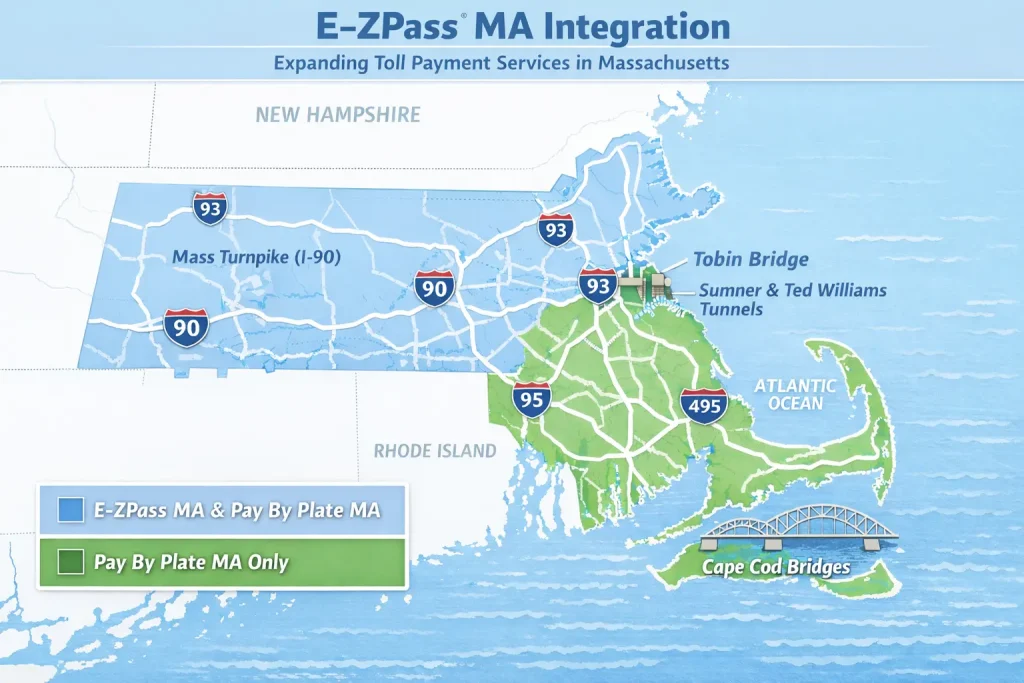
Massachusetts Turnpike (Interstate 90)
The Mass Turnpike runs 138 miles across the state, from the New York border in West Stockbridge to Logan Airport in East Boston. Toll rates on the Turnpike vary based on the distance traveled, your vehicle type, and whether you use E-ZPass or Pay By Plate. A typical passenger car trip across the full length costs between $1.50 and $7.00 with E-ZPass, while Pay By Plate users pay a slightly higher rate plus the $0.60 invoice fee per transaction.
Tobin Memorial Bridge
The Tobin Bridge connects Boston to Chelsea across the Mystic River. It charges a single flat-rate toll collected only in the southbound direction (entering Boston). This bridge is one of the most heavily used toll facilities in the state, carrying over 80,000 vehicles daily.
Boston Harbor Tunnels
Three tunnels connect Boston to East Boston and Logan Airport: the Sumner Tunnel (eastbound only), the Callahan Tunnel (westbound only), and the Ted Williams Tunnel (both directions). Tolls are collected in one direction only for the Sumner and Callahan tunnels, while the Ted Williams Tunnel charges tolls in both directions.
How Toll Rates Are Determined
- Vehicle classification: Passenger cars, motorcycles, trucks, buses, and multi-axle commercial vehicles are all charged different rates. Motorcycles pay the lowest, while vehicles with five or more axles pay the highest.
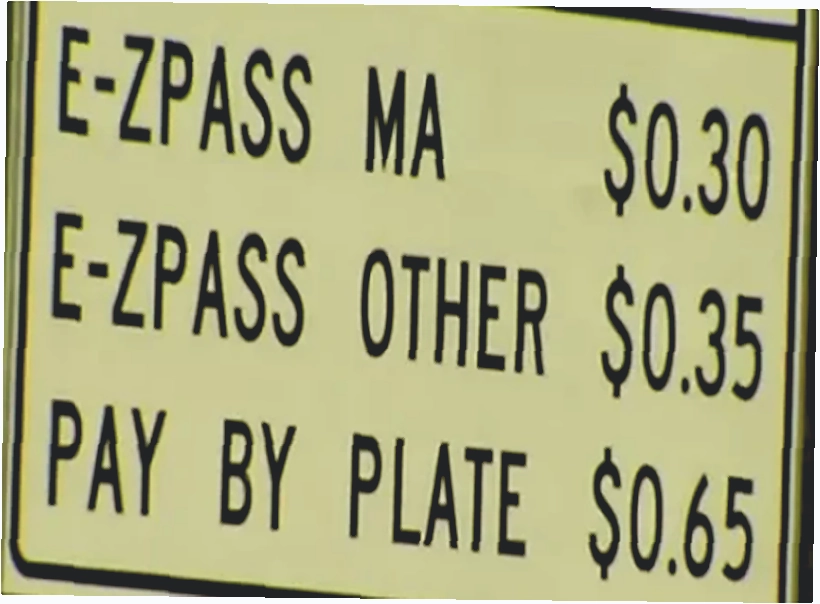
- Payment method: E-ZPass users receive discounted toll rates compared to Pay By Plate users. Massachusetts residents with E-ZPass get the best available pricing.
- Distance traveled (Turnpike only): The Mass Turnpike uses distance-based pricing, meaning you are charged based on where you enter and where you exit.
- Toll gantry location: Fixed-rate tolls on bridges and tunnels are the same regardless of distance. The toll is captured as you pass under the overhead gantry.
Using the EZDriveMA Toll Calculator
MassDOT provides a free online toll calculator on the EZDriveMA website (ezdrivema.com) that lets you estimate your toll cost before you hit the road. Enter your starting point, destination, vehicle type, and payment method, and the tool gives you an accurate estimate within seconds. This is especially useful for planning road trips or comparing E-ZPass savings against Pay By Plate pricing.
Helpful Tip: Bookmark the EZDriveMA toll calculator on your phone. Before any highway trip, a quick 10-second check gives you a clear picture of what you will owe in tolls.
E-ZPass MA: How It Works with Pay By Plate
E-ZPass MA is a transponder-based toll collection system that works alongside Pay By Plate. When you sign up for E-ZPass MA, you receive a small electronic device that mounts to your windshield. As you pass through a toll point, the transponder communicates with the overhead gantry, and the toll is deducted automatically from your linked account. The biggest advantage of E-ZPass is the discounted toll rate – in many cases, E-ZPass users pay 20% less than Pay By Plate users for the same trip.
Key Benefits of E-ZPass MA
- Lower toll rates on all Massachusetts toll roads, bridges, and tunnels.
- Free transponder provided when you open an E-ZPass MA account.
- Works in 19 states across the eastern United States, from Maine to Florida and as far west as Illinois.
- Automatic backup: If your transponder fails to read (dead battery, misplacement, or obstruction), the Pay By Plate system kicks in automatically and charges the toll to your linked account instead of issuing a violation.
- Unified account management through the same EZDriveMA portal used for Pay By Plate.
Out-of-State E-ZPass on Massachusetts Roads
If you carry an E-ZPass from another participating state (such as New York, New Jersey, or Pennsylvania), it works on all Massachusetts toll roads. Tolls are billed to your home-state E-ZPass account. However, only Massachusetts-issued E-ZPass transponders qualify for the in-state resident discount.
When to Choose E-ZPass Over Pay By Plate
E-ZPass makes financial sense for any driver who uses Massachusetts toll roads more than a few times per month. The discounted rates add up quickly, and the transponder eliminates invoice fees entirely. Pay By Plate is better suited for infrequent or one-time travelers who do not want the commitment of maintaining a transponder account.
Helpful Tip: Mount your E-ZPass transponder high on the windshield, near the rearview mirror. Placing it too low or behind a tinted strip can prevent accurate reads at the gantry.
Managing Your PayByPlateMA Account
Once your account is set up, the EZDriveMA dashboard gives you full control over your toll billing. Here are the most common account management tasks and how to handle each one.
Updating Your Payment Information
Keeping your payment details current is one of the most important things you can do to avoid fees. If your card expires or your bank account changes, update it immediately through the “Payment Information” section of your dashboard. An outdated payment method will cause failed charges, which trigger invoice fees and eventually late penalties.
Adding or Removing Vehicles
If you buy a new car, sell an old one, or temporarily need to add a family member’s vehicle to your account, the “Vehicles” section of the dashboard lets you add or remove license plates in under a minute. Always remove a vehicle you no longer own – otherwise, the new owner’s tolls could be charged to your account until the RMV updates its records.
Reviewing Transaction History and Statements
The “Payment History” section provides a detailed log of every toll you have been charged, organized by date, time, location, and amount. You can download monthly statements as PDF files for personal record-keeping or expense reporting. Reviewing your history regularly helps you spot errors (such as misread plates or duplicate charges) before they escalate into disputes.
Setting Up Notifications and Alerts
The EZDriveMA portal lets you enable email and SMS notifications for a variety of events: low balance warnings, new invoices, successful payments, and account changes. Turning on these alerts is the easiest way to stay informed without having to log in and check manually.
Helpful Tip: Set a recurring calendar reminder every six months to verify that your payment method, mailing address, and vehicle list are all up to date.
Understanding and Paying Your Toll Invoices
If you do not have a registered account or if your account balance ran out during a trip, MassDOT will mail a paper invoice to the address linked to your license plate through the RMV. Each invoice includes a $0.60 service fee on top of the actual toll amount.
What Your Invoice Contains
- The date, time, and exact location of the toll transaction.
- A photograph of your vehicle’s license plate captured by the gantry camera.
- The toll amount plus the $0.60 per-invoice service fee.
- A unique invoice number you will need for online payment.
- The payment due date and instructions for paying online or by mail.
How to Pay an Invoice Online
Visit www.paybyplatema.com, select the invoice payment option, enter your invoice number and license plate, and pay with any accepted card. The entire process takes less than two minutes. You can also pay through the EZDriveMA mobile app using your phone.
Uninvoiced Tolls
Sometimes there is a delay between when a toll is recorded and when the invoice is generated. These are called “uninvoiced tolls.” You can view them in the pending section of your online account before they officially appear on a statement. Checking for uninvoiced tolls periodically helps you avoid surprises.
Helpful Tip: Turn on email alerts for new invoices. You will receive a notification as soon as any toll is posted to your account, well before a paper invoice arrives in the mail.
Fees, Penalties, and How to Avoid Them
Ignoring toll invoices or letting your account lapse can result in escalating charges that far exceed the original toll amount. Here is a clear breakdown of every fee you might encounter and how to prevent each one.
| Fee Type | Amount | How to Avoid It |
| Invoice Service Fee | $0.60 per invoice | Register for a prepaid or postpaid account to eliminate per-transaction invoicing. |
| Late Payment (30 days) | $10 per invoice | Pay every invoice within 30 days of the issue date. Enable auto-pay for peace of mind. |
| Late Payment (90 days) | $20 per invoice | Never let an invoice go unpaid past 60 days. Contact customer service if you are unable to pay on time. |
| RMV Registration Hold | Blocks renewal | Clear all outstanding toll balances before your vehicle registration renewal date. |
| Debt Collection | Additional agency fees | Respond to every invoice and dispute notice promptly. Ignoring them leads to collections. |
The most important takeaway: Unpaid tolls can eventually result in a hold on your vehicle registration through the Massachusetts RMV. You will not be able to renew your registration until every outstanding balance is cleared. This single consequence makes it worth paying attention to every invoice and alert you receive.
Helpful Tip: Mark your invoice due dates on your calendar one week in advance. A simple weekly check of your online account takes 30 seconds and can save you hundreds of dollars in avoidable penalties.
Troubleshooting Common Login and Account Issues
Even the best-designed systems have occasional hiccups. Here are the most common problems PayByPlateMA users encounter and the fastest way to resolve each one.
Forgotten Password
Click the “Forgot Password” link on the login page, enter your registered email, and check your inbox (including spam/junk folders) for a reset link. Follow the link to create a new password. The entire process typically takes under two minutes.
Lost or Forgotten Username
Click “Forgot Username” on the login page and enter your registered email address. If you do not receive a recovery email, contact EZDriveMA customer service at 1-877-627-7745 for manual account lookup.
Account Locked After Failed Login Attempts
If you enter the wrong password multiple times, your account will be temporarily locked for 15 to 30 minutes as a security measure. Do not keep trying during the lockout period, as each additional attempt resets the timer. Wait for the lockout to expire, then try again with the correct credentials. If you are still locked out, call customer service for assistance.
Browser Compatibility Problems
The EZDriveMA portal works best on updated versions of Google Chrome, Mozilla Firefox, and Microsoft Edge. If the login page is not loading properly, try updating your browser, clearing your cache and cookies, or switching to a different browser entirely.
Session Timeout While Logged In
For security purposes, the system automatically logs you out after a period of inactivity. If you are kicked out mid-task, simply refresh the page and log in again. Your unsaved changes may be lost, so it is a good practice to complete each task (such as updating payment information) in one sitting.
Slow Loading or Error Messages
If the website is loading slowly or displaying error codes, try clearing your browser cache, switching from Wi-Fi to mobile data (or vice versa), or accessing the site from a different device. If the problem persists, MassDOT may be performing scheduled maintenance. Check their social media channels for real-time status updates.
Helpful Tip: Keep a backup browser installed on your phone or laptop. If your primary browser has issues with the EZDriveMA site, switching to an alternative often resolves the problem immediately.
Protecting Your PayByPlateMA Account
Your toll account contains sensitive personal and financial information, including your license plate number, home address, and payment details. Taking a few basic security precautions goes a long way toward keeping your data safe.
Create a Strong, Unique Password
Use at least 12 characters combining uppercase and lowercase letters, numbers, and symbols. Avoid using your name, birthdate, license plate number, or any easily guessable information. Never reuse a password from another website or service.
Enable Two-Factor Authentication (2FA)
If the EZDriveMA portal offers two-factor authentication, turn it on immediately. 2FA requires a second verification step (usually a code sent to your phone) every time you log in, making it far harder for unauthorized users to access your account even if they have your password.
Always Log Out After Each Session
This is especially important if you are using a shared, public, or work computer. Closing the browser tab is not the same as logging out. Always use the “Log Out” button in the account menu.
Watch Out for Phishing Scams
Scammers regularly create fake websites and emails that look like official MassDOT or PayByPlateMA communications. Always verify that the URL in your browser is www.paybyplatema.com before entering any login credentials or payment information. MassDOT will never ask you for your full password, PIN, or Social Security number via email or text message.
Keep Your Contact Information Current
An outdated email address means you will miss important security alerts, password reset links, and invoice notifications. Update your contact details immediately whenever your email, phone number, or mailing address changes.
How to Dispute a Toll Charge or Appeal a Violation
Billing errors happen. A misread license plate, a system glitch, or a camera capturing the wrong vehicle can all result in an incorrect charge on your account. The good news is that PayByPlateMA has a straightforward dispute process.
Steps to File a Dispute
- Gather your evidence. Check the invoice for the date, time, and toll location. Collect any proof that you were not at that location: GPS data, parking receipts, gas station receipts, or a photograph showing your vehicle was elsewhere.
- Submit the dispute online. Log in to your account and navigate to the dispute form under the Customer Service section. Attach your evidence and provide a clear, concise explanation of why the charge is incorrect.
- Follow up regularly. Disputes can take a few weeks to process. Check your account status periodically and call customer service at 1-877-627-7745 if you need an update.
Appealing a Denied Dispute or Toll Violation
If your initial dispute is denied or you are facing a formal toll violation (which can lead to RMV registration holds), you have the right to file an appeal. Contact PayByPlateMA support to request an appeal form, submit all documentation from your original dispute along with any new evidence, and wait for a decision. Appeals typically take up to 30 days.
Helpful Tip: Keep a digital folder on your phone or computer where you save toll receipts, gas station receipts, and parking confirmations. Having evidence readily available makes filing a dispute much faster.
Special Situations: Rental Cars, Commercial Vehicles, and Motorcycles
Toll Billing for Rental Cars in Massachusetts
Most rental cars are not equipped with E-ZPass transponders, which means tolls are processed through Pay By Plate. The rental company receives the invoice from MassDOT, pays the toll on your behalf, and then bills you – often with an additional administrative fee ranging from $5 to $15 per transaction. Some rental agencies offer optional toll packages (a flat daily rate for unlimited tolls) that can save you money if you expect to use toll roads frequently during your rental period.
Before picking up a rental car in Massachusetts, ask the agency about their toll policy. If they allow it, you can link your own paybyplatema account to the rental vehicle’s license plate for the duration of your trip, which avoids the agency’s administrative surcharge entirely.
Commercial Vehicle Toll Rates
Trucks, buses, and other commercial vehicles are classified and charged based on axle count. A standard two-axle delivery van will pay a moderate toll, while a five-axle freight truck will pay significantly more. For businesses that operate multiple vehicles on Massachusetts toll roads, E-ZPass is strongly recommended – it eliminates invoice service fees and provides discounted rates that can add up to substantial savings over the course of a month.
If your commercial vehicle is incorrectly classified (for example, a van billed at truck rates), file a dispute immediately with photos of your vehicle, its registration, and the correct axle count.
Motorcycle Tolling
Motorcycles benefit from the lowest toll rates on Massachusetts roads. However, the smaller size of a motorcycle plate can occasionally lead to camera misreads. Riders should ensure their plate is clean, firmly mounted, and clearly visible from behind. If a misread results in an incorrect charge, the standard dispute process applies.
Out-of-State Visitors Driving Through Massachusetts
If you are visiting Massachusetts from another state and do not have an E-ZPass, the Pay By Plate system will capture your license plate and mail an invoice to the address registered with your home state’s motor vehicle department. The invoice includes the toll amount plus the $0.60 service fee. If you travel to Massachusetts frequently, consider setting up either an E-ZPass MA account or a temporary Paybyplatema account to streamline billing and avoid per-invoice fees.
The Technology Behind PayByPlateMA
Understanding how the system works behind the scenes helps you appreciate why accurate vehicle information and clean license plates are so important.
License Plate Recognition (LPR) Cameras
High-speed, high-resolution cameras are mounted on overhead gantries at every toll point in Massachusetts. These cameras capture multiple images of every vehicle that passes underneath, even at full highway speed. The images are processed using Optical Character Recognition (OCR) software, which converts the plate image into a readable text string. Infrared lighting ensures the system works equally well at night, in rain, snow, and fog.
Vehicle Classification Sensors
In addition to cameras, each gantry is equipped with sensors that detect the size and axle count of passing vehicles. This data is used to automatically assign the correct toll rate. If a sensor misclassifies your vehicle, you can dispute the charge through the standard process.
Data Encryption and Privacy
All data transmitted between your device and the PayByPlateMA servers is protected using AES-256 encryption, the same standard used by banks and government agencies. Your payment details and personal information are stored in secure, access-controlled databases that are monitored around the clock. MassDOT conducts regular security audits and complies with PCI DSS (Payment Card Industry Data Security Standard) and Massachusetts state privacy regulations.
Accessibility Features
The EZDriveMA website is designed to meet ADA (Americans with Disabilities Act) accessibility guidelines. It supports screen readers, offers high-contrast display modes, and uses clear, large text for easy navigation on both desktop and mobile devices.
Helpful Tip: If your license plate is dirty, damaged, or partially obscured, clean or replace it before driving on toll roads. A plate that cannot be read accurately may lead to a missed toll or an invoice being sent to the wrong address.
Pay By Plate MA Customer Service and Support
When you need help with your toll account, MassDOT offers several support channels to resolve issues quickly.
Phone Support
Call 1-877-627-7745, available Monday through Friday from 9:00 AM to 5:00 PM Eastern Time. Have your account number or license plate ready before calling to speed up the process.
Email Support
For general account questions, email [email protected]. For login or technical issues, you can use the same email address. Email is a good option when you need to send supporting documents, such as receipts or photos.
Online Help Center
The PayByPlateMA website includes a comprehensive FAQ section and troubleshooting guides that cover the most common account, billing, and technical issues.
In-Person Service Centers
- Auburn: 27 Midstate Drive, Auburn, MA
- North Chelmsford: 120 Tyngsboro Road, North Chelmsford, MA
At these locations, staff can help you open or close accounts, pay outstanding invoices, pick up or return E-ZPass transponders, and resolve billing disputes in person.
Social Media Updates
Follow MassDOT on Twitter (X), Facebook, Instagram, and YouTube for real-time updates about system maintenance, toll rate changes, and traffic alerts.
Why Use PayByPlateMA? Key Benefits at a Glance
- No hardware required. Unlike E-ZPass, Pay By Plate does not require a transponder, sticker, or any device mounted in your vehicle.
- Drive at full speed through every toll point. There are no toll booths to stop at anywhere in Massachusetts. The system captures your plate automatically at highway speed.
- Works for every vehicle type. Cars, trucks, motorcycles, rental vehicles, and commercial fleets are all supported.
- Flexible payment options. Pay with credit cards, debit cards, digital wallets, bank transfers, or cash at service centers.
- 24/7 online account management. View invoices, check balances, update vehicles, and make payments anytime from your computer or phone.
- Ideal for visitors and tourists. No sign-up is required. An invoice is simply mailed to the address linked to your license plate.
- Seamless E-ZPass backup. If your transponder fails, Pay By Plate automatically captures the toll so you are never hit with a violation.
- Supports Massachusetts infrastructure. Toll revenue funds road maintenance, bridge repairs, tunnel upgrades, and transportation improvements across the state.
Frequently Asked Questions About PayByPlateMA
Is there a registration fee to create a PayByPlateMA account?
No. Account creation is completely free. You only need to deposit a minimum of $20 if you select a prepaid account. Postpaid accounts require no upfront payment.
Can I use Paybyplatema if I live outside Massachusetts?
Yes. If you drive on a Massachusetts toll road without an E-ZPass, the system will capture your plate and mail an invoice to the address on file with your home state’s motor vehicle department. You can also create an online account to manage payments proactively.
What happens if I never pay a toll invoice?
Unpaid invoices accumulate late fees ($10 after 30 days, $20 after 90 days). Continued non-payment can lead to a hold on your vehicle registration at the Massachusetts RMV, and eventually, the debt may be sent to a collection agency, potentially affecting your credit.
Can I switch between a prepaid and postpaid account?
Yes. You can change your account type at any time through the EZDriveMA online portal or by contacting customer service.
How quickly are tolls posted to my account after I drive through?
Most tolls appear within 24 to 48 hours. However, paper invoices may take 7 to 10 days to arrive in the mail, which is why an online account gives you faster visibility into your charges.
Does Pay By Plate MA work on roads outside Massachusetts?
No. PayByPlateMA is valid only on Massachusetts toll roads, bridges, and tunnels. For interstate travel, you will need an E-ZPass, which is accepted in 19 states across the eastern United States.
What should I do if I receive an invoice for a toll I did not take?
File a dispute immediately through the EZDriveMA website or by calling 1-877-627-7745. Provide any evidence (receipts, GPS data, photos) that proves you were not at the toll location on the date in question.
Are there any discounts for seniors, military personnel, or disabled veterans?
MassDOT does not currently offer separate toll discounts based on age or military status. However, E-ZPass MA provides discounted rates for all Massachusetts residents, and specific exemptions may apply for certain government or emergency vehicles.
Can I add multiple vehicles to one account?
Yes. You can register multiple vehicles under a single PayByPlateMA account, making it easy for families or small businesses to manage all their toll billing in one place.
Where can I get an E-ZPass MA transponder?
You can order one online through the EZDriveMA website (it ships free) or pick one up in person at an EZDriveMA service center in Auburn or North Chelmsford.
Drive Smarter Across Massachusetts
PayByPlateMA gives every driver a simple, cashless way to handle tolls on the state’s busiest roads, bridges, and tunnels. Whether you are commuting daily on the Mass Turnpike, visiting Boston for the weekend, or operating a fleet of commercial vehicles, the tools to manage your toll payments are available 24/7 through the EZDriveMA portal at www.paybyplatema.com. Create your account, choose the right plan, set up automatic payments, and focus on the road ahead.